Understanding PUBG Mobile UC: Everything You Need to Know (2026)
PUBG Mobile is one of the most popular battle royale games, attracting millions of players who enjoy competitive matches, exciting events, and exclusive in-game rewards. Whether you’re a beginner or an experienced player, you’ve probably come across UC while exploring the game’s store, Royale Pass, or special events.
UC, also known as Unknown Cash, is PUBG Mobile’s premium in-game currency. It allows players to purchase a wide range of virtual items, customize their characters, and participate in selected events. Understanding how UC works can help you make informed decisions, avoid unnecessary spending, and enjoy the game responsibly.
In this complete guide, we’ll explain what PUBG Mobile UC is, how it works, what you can buy with it, how to obtain it, and how to protect your account when making purchases.
What Is PUBG Mobile UC?
UC stands for Unknown Cash, the premium currency used in PUBG Mobile. Unlike BP (Battle Points), which players can earn through regular gameplay, UC is generally purchased with real money through supported payment channels.
Players use UC to access premium content, including outfits, weapon skins, emotes, crates, and selected Royale Pass rewards.


6
UC is primarily used for customization and optional in-game purchases. While premium items can make your character or weapons look unique, they do not automatically make you a better player.
What Can You Buy with PUBG Mobile UC?
PUBG Mobile offers different types of premium content, and the available items may change with each update or event.

1. Royale Pass
UC can be used to unlock eligible Royale Pass upgrades, giving players access to additional progression rewards, outfits, and other items. Check the current pass requirements before purchasing.

2. Character Outfits
Players can use UC to obtain selected outfits, costumes, and character cosmetics. Some are available directly, while others may be tied to limited-time events.

3. Weapon Skins
UC may be used for crates, draws, and events featuring weapon finishes. Some cosmetic weapon skins also offer visual upgrade effects.
4. Lucky Spins and Crates
Selected events allow players to spend UC for a chance to obtain rewards. Results may be random, and rare items are not guaranteed unless the event explicitly provides a guarantee under its rules.

5. Emotes and Other Cosmetics
UC may also unlock selected emotes, vehicle skins, and other customization items that let players personalize their gaming experience.
PUBG Mobile UC vs BP: What’s the Difference?
New players often confuse UC with BP. Although both are in-game currencies, they serve different purposes.
|
Feature
|
UC (Unknown Cash)
|
BP (Battle Points)
|
| — | — | — |
|
Currency type
|
Premium currency
|
Gameplay currency
|
|
How to obtain
|
Usually purchased or received through eligible promotions
|
Earned through gameplay and activities
|
|
Main purpose
|
Premium content and purchases
|
Selected in-game items and features
|
|
Real-money purchase
|
Commonly available
|
Not generally purchased as premium currency
|
|
Availability
|
Depends on purchases and promotions
|
Earned through eligible gameplay
|
Key takeaway: UC is primarily used for premium purchases, while BP supports selected in-game features through regular gameplay.
How to Get PUBG Mobile UC
There are several ways players may obtain UC, depending on their region, account, and available promotions.
Purchase UC Through the In-Game Store
Check the UC section in PUBG Mobile to view available packages and supported payment options for your account.
Use an Authorized Top-Up Platform
Platforms such as Midasbuy offer PUBG Mobile UC top-ups in supported regions. Verify the platform’s official status, region compatibility, and payment details before purchasing.
Look for Official Promotions
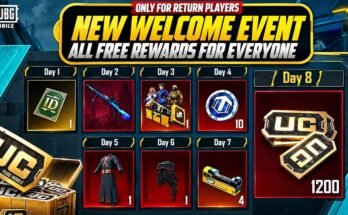
PUBG Mobile may offer limited-time promotions or eligible rewards. Check official announcements and event terms to understand what is actually included.
Participate in Verified Giveaways
Some official or authorized campaigns may offer UC prizes. Review the organizer, eligibility requirements, and rules before participating.
Remember that free UC is not guaranteed. Be cautious of websites claiming to generate unlimited UC or asking for your password in exchange for rewards.
How Much Does PUBG Mobile UC Cost?
The cost of UC depends on the package, region, payment method, and available promotions. Larger packages may include bonus UC, but the offers and prices can change.
Common package sizes may include:

60 UC
Small purchase

325 UC – 660 UC
Small to medium packages
1,800 UC and above
Larger purchase options
These are illustrative package sizes, not a guaranteed current store listing. Check your in-game store or authorized seller for live prices and availability.
For players in Pakistan, the final cost may depend on the payment provider, currency conversion, and applicable charges. Always review the total amount before confirming your transaction.
How to Use PUBG Mobile UC Wisely
Buying UC is easy, but managing it wisely can help you avoid unnecessary expenses. Here are some practical tips for making your UC last longer.
- Set a spending limit: Decide how much you’re comfortable spending before buying UC.
- Prioritize your favorite rewards: Focus on items you genuinely want instead of spending UC on every new event.
- Compare event costs: Review spin prices, reward pools, and guarantee conditions before participating.
- Avoid impulse purchases: Limited-time offers can encourage quick decisions, so take time to consider whether an item is worth the cost.
- Keep some UC for future plans: If you’re saving for a particular Royale Pass or event, avoid spending your balance on unrelated rewards.
A simple budget can make a difference. You don’t need to purchase every UC package or unlock every premium item to enjoy PUBG Mobile.
PUBG Mobile UC Safety: Avoid Scams and Fake Offers
UC-related scams can target players through fake websites, social media accounts, and suspicious messages. Protecting your account should always be a priority.
UC Account Safety Checklist
Use the in-game store or a verified authorized top-up channel.
Double-check your Player ID before submitting a purchase.
Never share your password, OTP, or linked account credentials.
Avoid UC generators and unrealistic unlimited UC claims.
Check the payment amount and seller details before confirming.
Keep your payment receipt until UC is credited.
0 of 6 safety steps reviewed
If a website promises unusually cheap UC in exchange for your login credentials, treat it as a warning sign. Never risk your PUBG Mobile account for an unverified offer.
Common PUBG Mobile UC Problems and Solutions
|
Problem
|
What You Can Do
|
| — | — |
|
UC not received
|
Check your balance, transaction status, and contact the seller’s support team.
|
|
Wrong Player ID
|
Contact the top-up provider immediately with your transaction details.
|
|
Payment failed
|
Check whether the amount was deducted and confirm the transaction status before retrying.
|
|
Suspicious UC offer
|
Avoid entering personal information or making payments until the offer is verified.
|
|
Unexpected UC deduction
|
Review your purchase history and contact official player support if needed.
|
Keep your transaction ID and payment confirmation available when contacting customer support. Never share your password or OTP to resolve a purchase issue.
Frequently Asked Questions About PUBG Mobile UC
1. What does UC stand for in PUBG Mobile?
UC stands for Unknown Cash. It is PUBG Mobile’s premium in-game currency, primarily used to purchase cosmetic items, Royale Pass upgrades, and other eligible content.
2. Can I earn PUBG Mobile UC for free?
Some official promotions or eligible events may offer UC or related rewards. However, free UC is not guaranteed, and unofficial UC generators should be avoided.
3. Is PUBG Mobile UC transferable between players?
UC is generally associated with the purchasing account and is not freely transferable between players. Some authorized services support top-ups for another player’s account using their Player ID.
4. Does UC improve gameplay performance?
UC itself does not improve your aim, movement, or shooting skills. It is primarily used for premium content and customization, although specific items may have different visual effects.
5. Is it safe to buy PUBG Mobile UC online?
It can be safe when you use the in-game store or a verified, authorized top-up platform. Avoid unknown sellers, suspicious links, and websites that request your account password.
6. What should I do if my purchased UC doesn’t arrive?
Check your transaction status and in-game balance first. If the UC is still missing, contact the seller or official support with your payment receipt and transaction reference.
7. Can I use UC in every PUBG Mobile event?
No. Event participation requirements vary. Some events require UC, while others may use event-specific currencies, free attempts, or other conditions. Check the event rules before spending.
Conclusion
Understanding PUBG Mobile UC is essential for players who want to enjoy premium features while managing their gaming expenses responsibly. From Royale Pass upgrades and character outfits to weapon skins and limited-time events, UC provides access to a variety of customization options.
However, buying UC should always be a careful decision. Choose verified purchase channels, compare available packages, protect your account information, and set a budget that suits your needs.
Whether you’re a beginner learning about Unknown Cash or a regular PUBG Mobile player planning your next purchase, knowing how UC works can help you make informed choices and enjoy the game with confidence in 2026.